> ## Documentation Index
> Fetch the complete documentation index at: https://docs.gately.ai/llms.txt
> Use this file to discover all available pages before exploring further.
# OpenAI Compatibility
> Use OpenAI SDKs with Gately AI
 ## OpenAI SDK Support
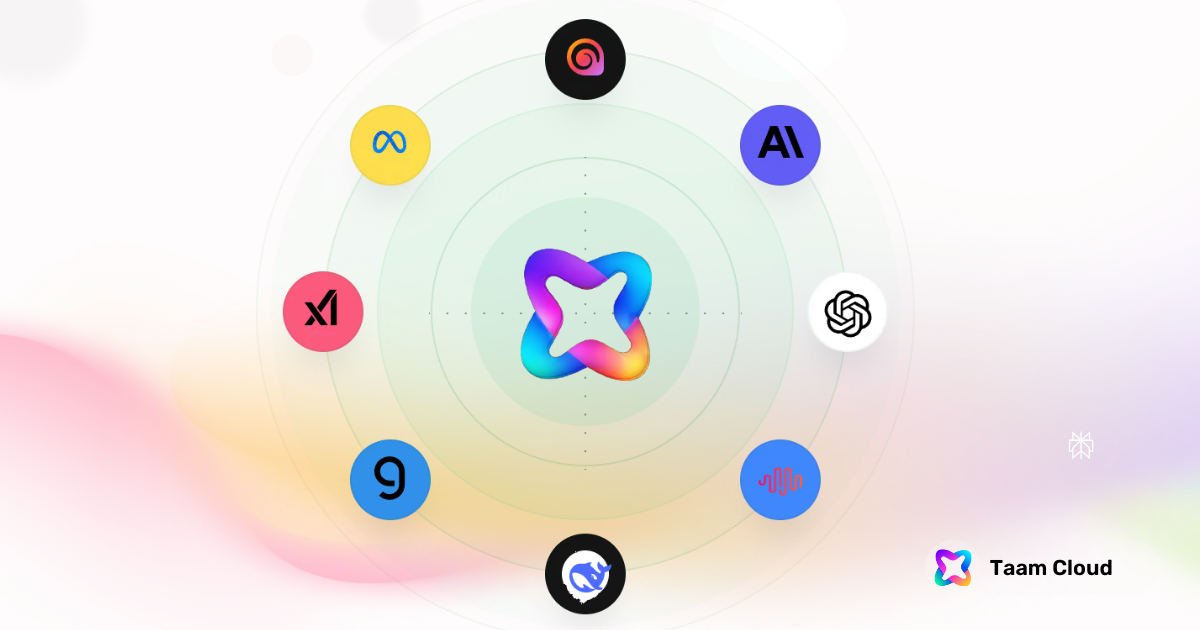
Gately AI's API endpoints for chat, language, code, images, and embeddings are fully compatible with OpenAI's API libraries.
If you have an existing application using OpenAI's client libraries, you can easily switch to Gately AI by updating the API configuration.
## Configuration
```python theme={null}
import os
import openai
client = openai.OpenAI(
api_key=os.environ.get("TAAM_API_KEY"),
base_url="https://api.gately.ai/v1"
)
```
```typescript theme={null}
import OpenAI from 'openai';
const client = new OpenAI({
apiKey: process.env.TAAM_API_KEY,
baseURL: 'https://api.gately.ai/v1'
});
```
Find your API key in the [Developer Settings](https://app.gately.ai/dashboard/settings/organization/developers).
## Example Usage
### Chat Completion
```python Python theme={null}
import os
import openai
client = openai.OpenAI(
api_key=os.environ.get("TAAM_API_KEY"),
base_url="https://api.gately.ai/v1"
)
response = client.chat.completions.create(
model="gpt-4-turbo",
messages=[
{"role": "system", "content": "You are a travel agent. Be descriptive and helpful."},
{"role": "user", "content": "Tell me the top 3 things to do in San Francisco"}
]
)
print(response.choices[0].message.content)
```
```typescript TypeScript theme={null}
import OpenAI from 'openai';
const client = new OpenAI({
apiKey: process.env.TAAM_API_KEY,
baseURL: 'https://api.gately.ai/v1'
});
const response = await client.chat.completions.create({
model: "gpt-4-turbo",
messages: [
{role: "system", content: "You are a travel agent. Be descriptive and helpful."},
{role: "user", content: "Tell me the top 3 things to do in San Francisco"}
]
});
console.log(response.choices[0].message.content);
```
### Streaming Responses
```python Python theme={null}
stream = client.chat.completions.create(
model="gpt-4-turbo",
messages=[
{"role": "system", content: "You are a travel agent."},
{"role": "user", content: "Tell me about San Francisco"}
],
stream=True
)
for chunk in stream:
print(chunk.choices[0].delta.content or "", end="", flush=True)
```
```typescript TypeScript theme={null}
const stream = await client.chat.completions.create({
model: "gpt-4-turbo",
messages: [
{role: "system", content: "You are a travel agent."},
{role: "user", content: "Tell me about San Francisco"}
],
stream: true
});
for await (const chunk of stream) {
process.stdout.write(chunk.choices[0]?.delta?.content || "");
}
```
### Embeddings Generation
```python theme={null}
response = client.embeddings.create(
model="text-embedding-3-small",
input="Our solar system orbits the Milky Way galaxy at about 515,000 mph"
)
print(response.data[0].embedding)
```
## Native SDKs
For a more tailored development experience, check out our official [SDK libraries](/api-reference/sdk-installation) specifically designed for Gately AI.
`pip install taam-cloud==1.0.0`
`npm install taam-cloud@0.1.0-alpha.3`
## Community Support
Compatible with most community-built OpenAI SDK wrappers
Get help with SDK integration in our Discord
Found an incompatibility? Contact our [support team](mailto:support@taam.cloud) for assistance.
## OpenAI SDK Support
Gately AI's API endpoints for chat, language, code, images, and embeddings are fully compatible with OpenAI's API libraries.
If you have an existing application using OpenAI's client libraries, you can easily switch to Gately AI by updating the API configuration.
## Configuration
```python theme={null}
import os
import openai
client = openai.OpenAI(
api_key=os.environ.get("TAAM_API_KEY"),
base_url="https://api.gately.ai/v1"
)
```
```typescript theme={null}
import OpenAI from 'openai';
const client = new OpenAI({
apiKey: process.env.TAAM_API_KEY,
baseURL: 'https://api.gately.ai/v1'
});
```
Find your API key in the [Developer Settings](https://app.gately.ai/dashboard/settings/organization/developers).
## Example Usage
### Chat Completion
```python Python theme={null}
import os
import openai
client = openai.OpenAI(
api_key=os.environ.get("TAAM_API_KEY"),
base_url="https://api.gately.ai/v1"
)
response = client.chat.completions.create(
model="gpt-4-turbo",
messages=[
{"role": "system", "content": "You are a travel agent. Be descriptive and helpful."},
{"role": "user", "content": "Tell me the top 3 things to do in San Francisco"}
]
)
print(response.choices[0].message.content)
```
```typescript TypeScript theme={null}
import OpenAI from 'openai';
const client = new OpenAI({
apiKey: process.env.TAAM_API_KEY,
baseURL: 'https://api.gately.ai/v1'
});
const response = await client.chat.completions.create({
model: "gpt-4-turbo",
messages: [
{role: "system", content: "You are a travel agent. Be descriptive and helpful."},
{role: "user", content: "Tell me the top 3 things to do in San Francisco"}
]
});
console.log(response.choices[0].message.content);
```
### Streaming Responses
```python Python theme={null}
stream = client.chat.completions.create(
model="gpt-4-turbo",
messages=[
{"role": "system", content: "You are a travel agent."},
{"role": "user", content: "Tell me about San Francisco"}
],
stream=True
)
for chunk in stream:
print(chunk.choices[0].delta.content or "", end="", flush=True)
```
```typescript TypeScript theme={null}
const stream = await client.chat.completions.create({
model: "gpt-4-turbo",
messages: [
{role: "system", content: "You are a travel agent."},
{role: "user", content: "Tell me about San Francisco"}
],
stream: true
});
for await (const chunk of stream) {
process.stdout.write(chunk.choices[0]?.delta?.content || "");
}
```
### Embeddings Generation
```python theme={null}
response = client.embeddings.create(
model="text-embedding-3-small",
input="Our solar system orbits the Milky Way galaxy at about 515,000 mph"
)
print(response.data[0].embedding)
```
## Native SDKs
For a more tailored development experience, check out our official [SDK libraries](/api-reference/sdk-installation) specifically designed for Gately AI.
`pip install taam-cloud==1.0.0`
`npm install taam-cloud@0.1.0-alpha.3`
## Community Support
Compatible with most community-built OpenAI SDK wrappers
Get help with SDK integration in our Discord
Found an incompatibility? Contact our [support team](mailto:support@taam.cloud) for assistance.