> ## Documentation Index
> Fetch the complete documentation index at: https://docs.gately.ai/llms.txt
> Use this file to discover all available pages before exploring further.
# Vision Recognition
> Multimodal interaction with visual recognition capabilities
 ## Overview
Gately AI supports advanced visual recognition capabilities through multiple state-of-the-art models, enabling rich multimodal interactions in your applications.
## Supported Models
* High accuracy recognition
* Detailed scene analysis
* Complex visual reasoning
* Fast processing
* Multiple object detection
* Context understanding
## Features
Multiple ways to input images:
* Drag and drop
* File upload
* Image URL
* Clipboard paste
What our models can analyze:
* Object identification
* Text in images (OCR)
* Scene understanding
* Visual relationships
* Color and style analysis
Ways to interact with images:
* Natural language queries
* Visual question answering
* Image description
* Detail analysis
## Using Vision Recognition
Choose from available vision-enabled models in the model selector
Drag and drop or click to upload your image
## Overview
Gately AI supports advanced visual recognition capabilities through multiple state-of-the-art models, enabling rich multimodal interactions in your applications.
## Supported Models
* High accuracy recognition
* Detailed scene analysis
* Complex visual reasoning
* Fast processing
* Multiple object detection
* Context understanding
## Features
Multiple ways to input images:
* Drag and drop
* File upload
* Image URL
* Clipboard paste
What our models can analyze:
* Object identification
* Text in images (OCR)
* Scene understanding
* Visual relationships
* Color and style analysis
Ways to interact with images:
* Natural language queries
* Visual question answering
* Image description
* Detail analysis
## Using Vision Recognition
Choose from available vision-enabled models in the model selector
Drag and drop or click to upload your image
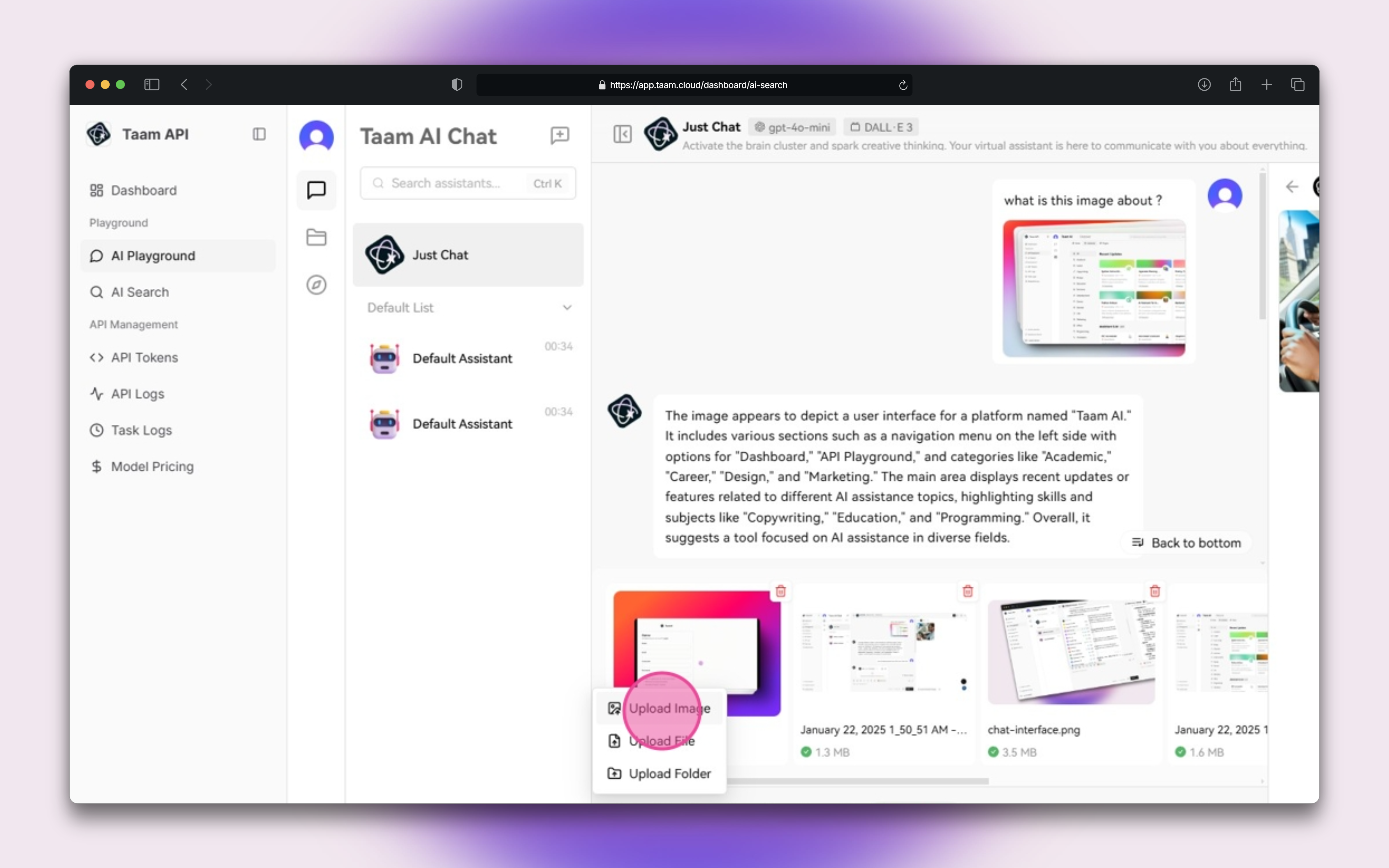 Enter your queries about the image:
* "What's in this image?"
* "Can you describe the scene?"
* "What text appears in this image?"
## Example Interactions
```json theme={null}
// Example API request
{
"model": "gpt-4-vision",
"messages": [
{
"role": "user",
"content": [
{
"type": "text",
"text": "What's in this image?"
},
{
"type": "image_url",
"image_url": "https://example.com/image.jpg"
}
]
}
]
}
```
## Best Practices
Use clear, well-lit images
Ask focused, clear questions
Provide relevant context
Images are processed securely and temporarily. See our [privacy policy](/privacy) for details.
Vision recognition consumes additional credits based on image size and complexity.
Enter your queries about the image:
* "What's in this image?"
* "Can you describe the scene?"
* "What text appears in this image?"
## Example Interactions
```json theme={null}
// Example API request
{
"model": "gpt-4-vision",
"messages": [
{
"role": "user",
"content": [
{
"type": "text",
"text": "What's in this image?"
},
{
"type": "image_url",
"image_url": "https://example.com/image.jpg"
}
]
}
]
}
```
## Best Practices
Use clear, well-lit images
Ask focused, clear questions
Provide relevant context
Images are processed securely and temporarily. See our [privacy policy](/privacy) for details.
Vision recognition consumes additional credits based on image size and complexity.