

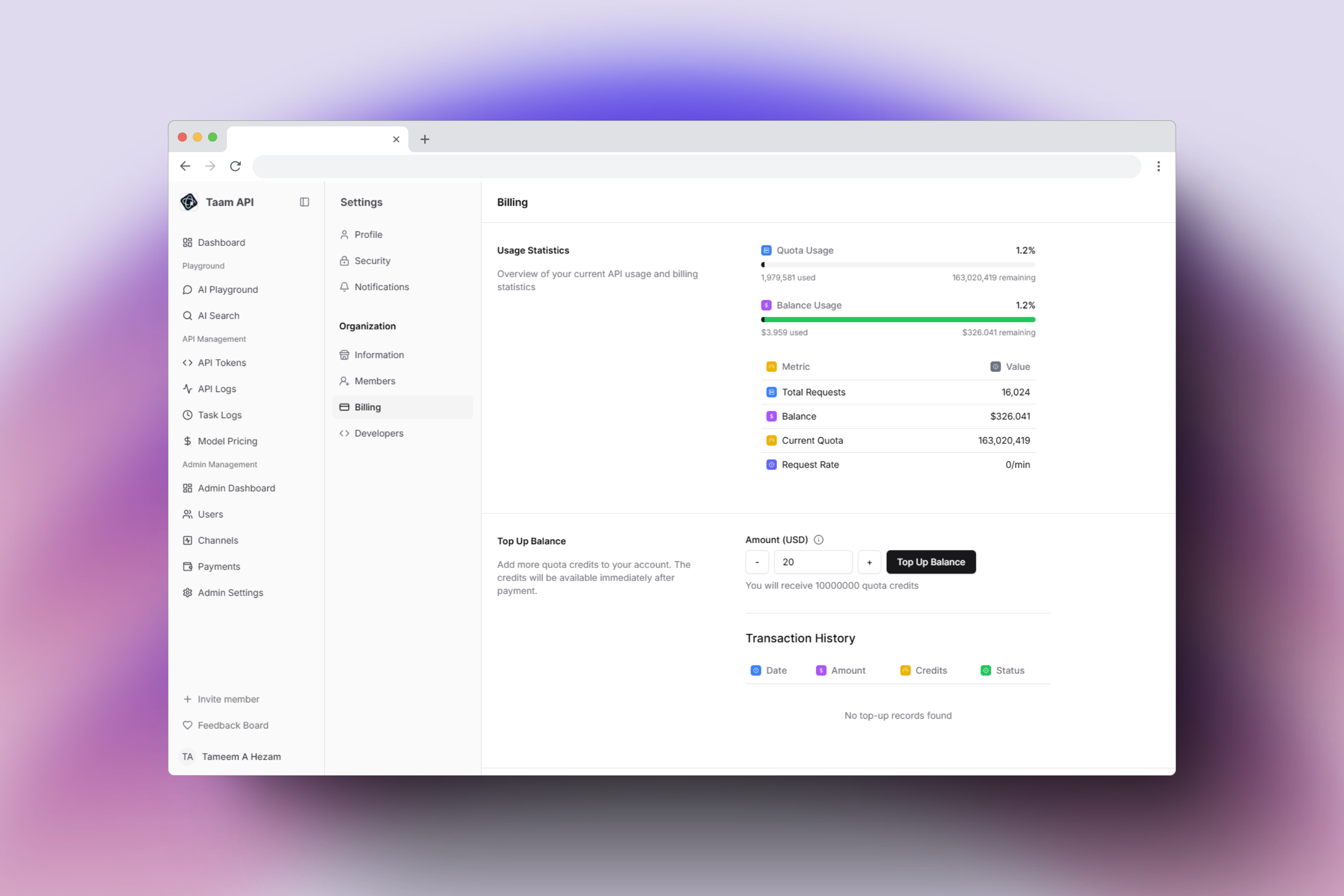
Adding Credits to Your Account
Follow these step-by-step instructions to top up your Gately AI account balance:Navigate to Dashboard
- Open your browser and go to https://app.gately.ai/dashboard/home
- Ensure you’re logged into your account
Access Account Menu
- Look for your account icon in the top navigation bar
- Click on the Account dropdown menu
- A menu with various options will appear
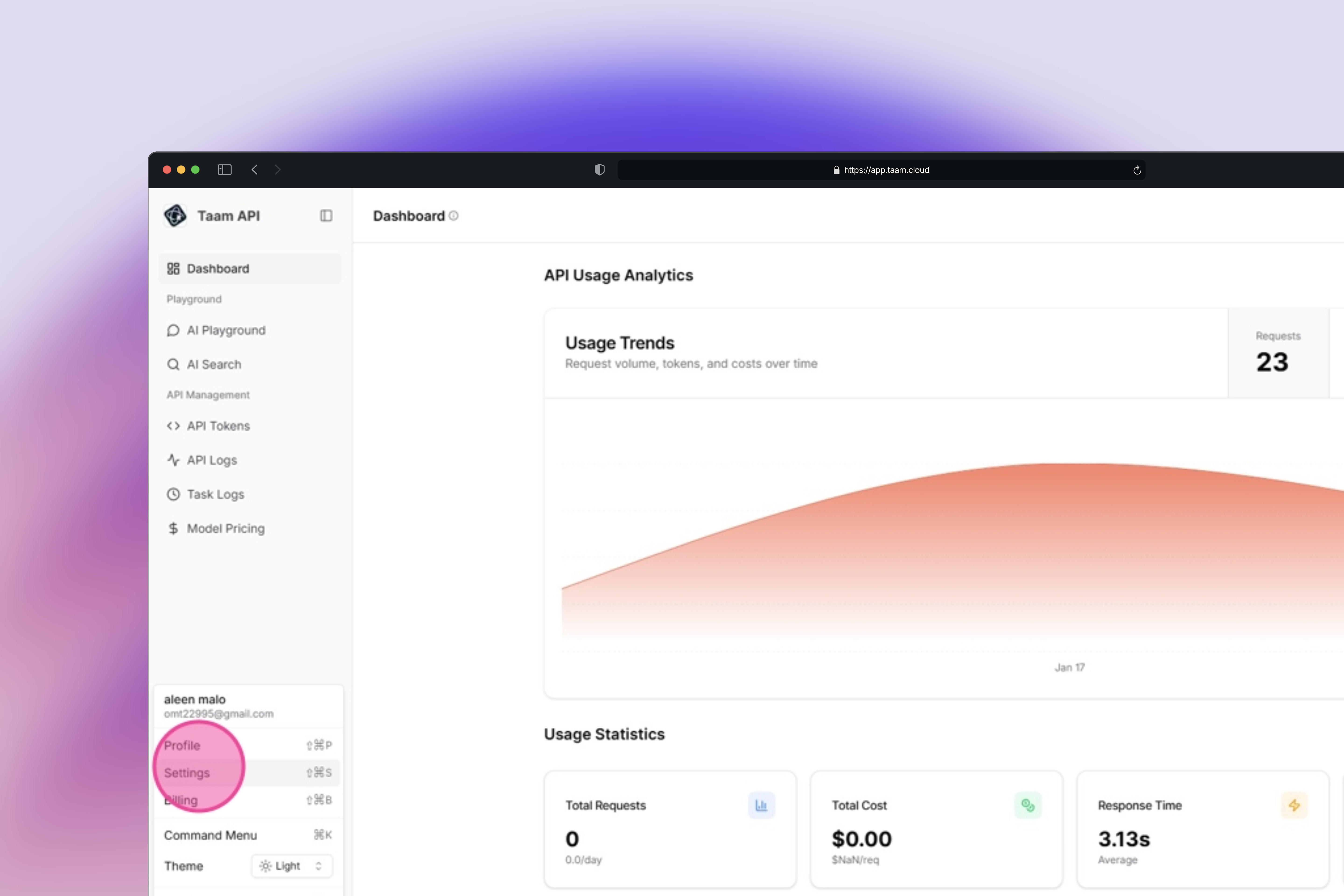
Open Settings
- In the Account dropdown menu
- Click on “Settings”
- This will take you to the account settings page
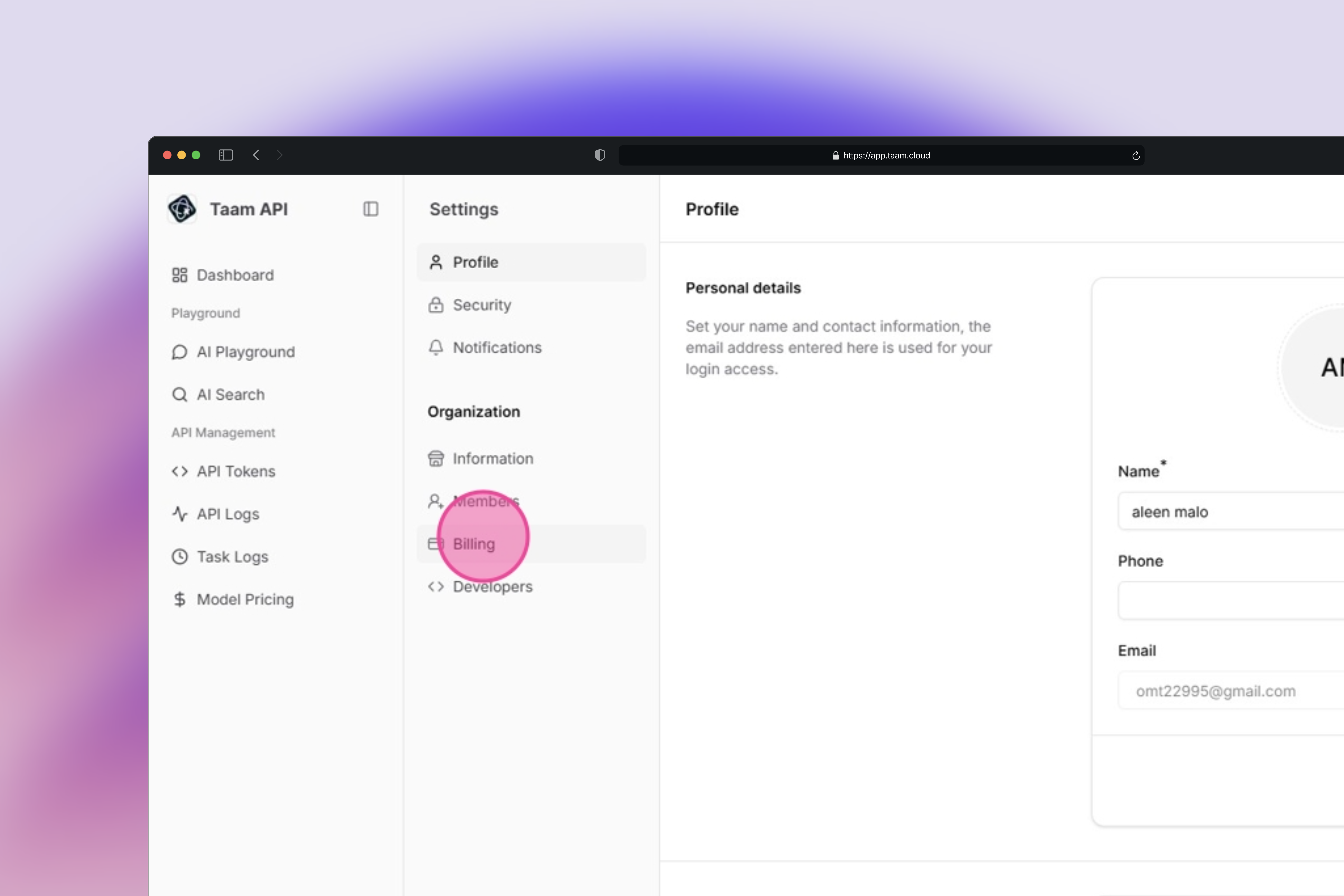
Select Billing Tab
- In the Settings section
- Locate and click on the “Billing” tab
- This tab contains all payment-related options
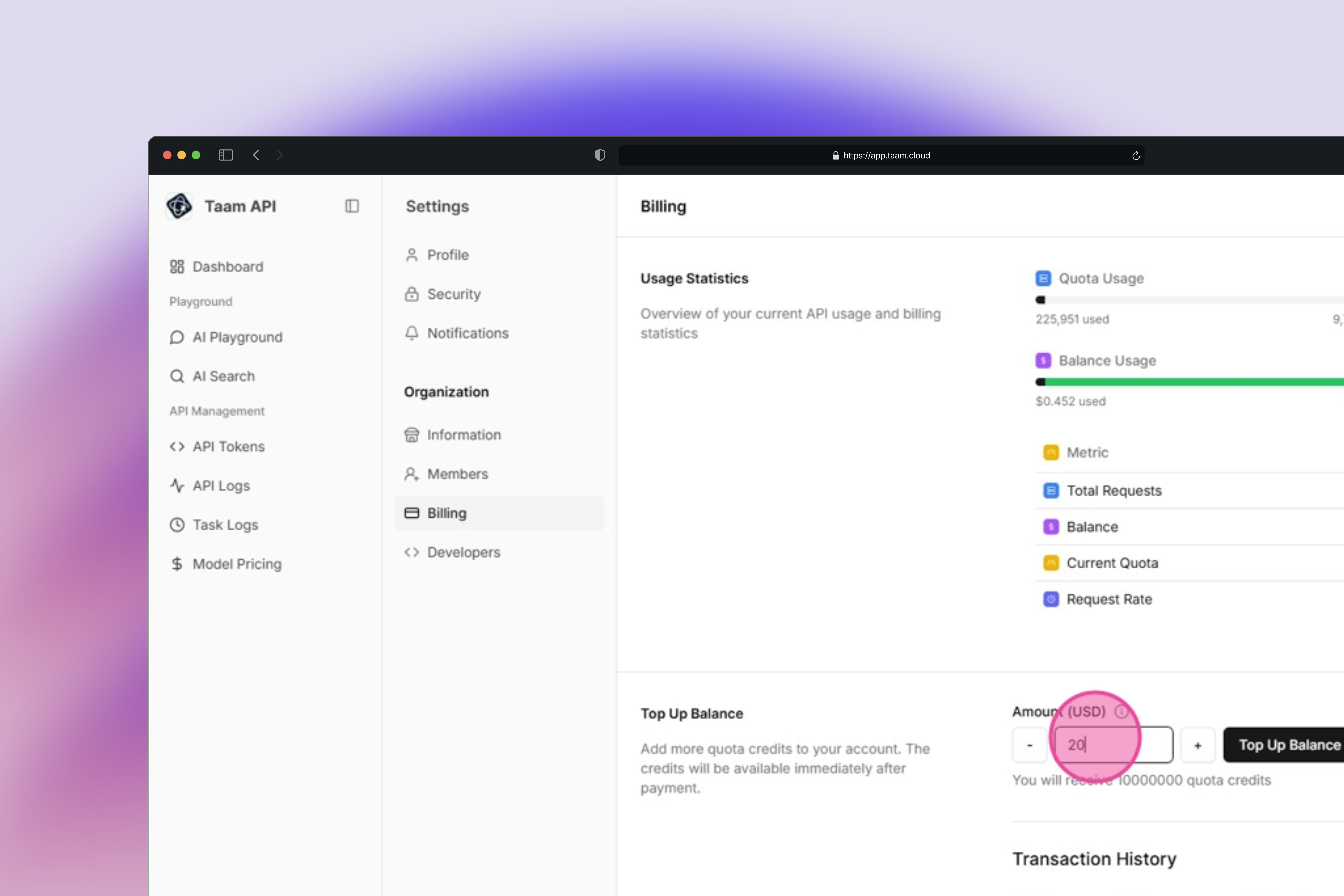
Specify Top-Up Amount
- Find the “Amount (USD)” input field
- Enter your desired top-up amount
- The minimum amount is $10 USD
Initiate Checkout
- Review the entered amount
- Click the “Checkout” button
- You’ll be directed to the payment processing page
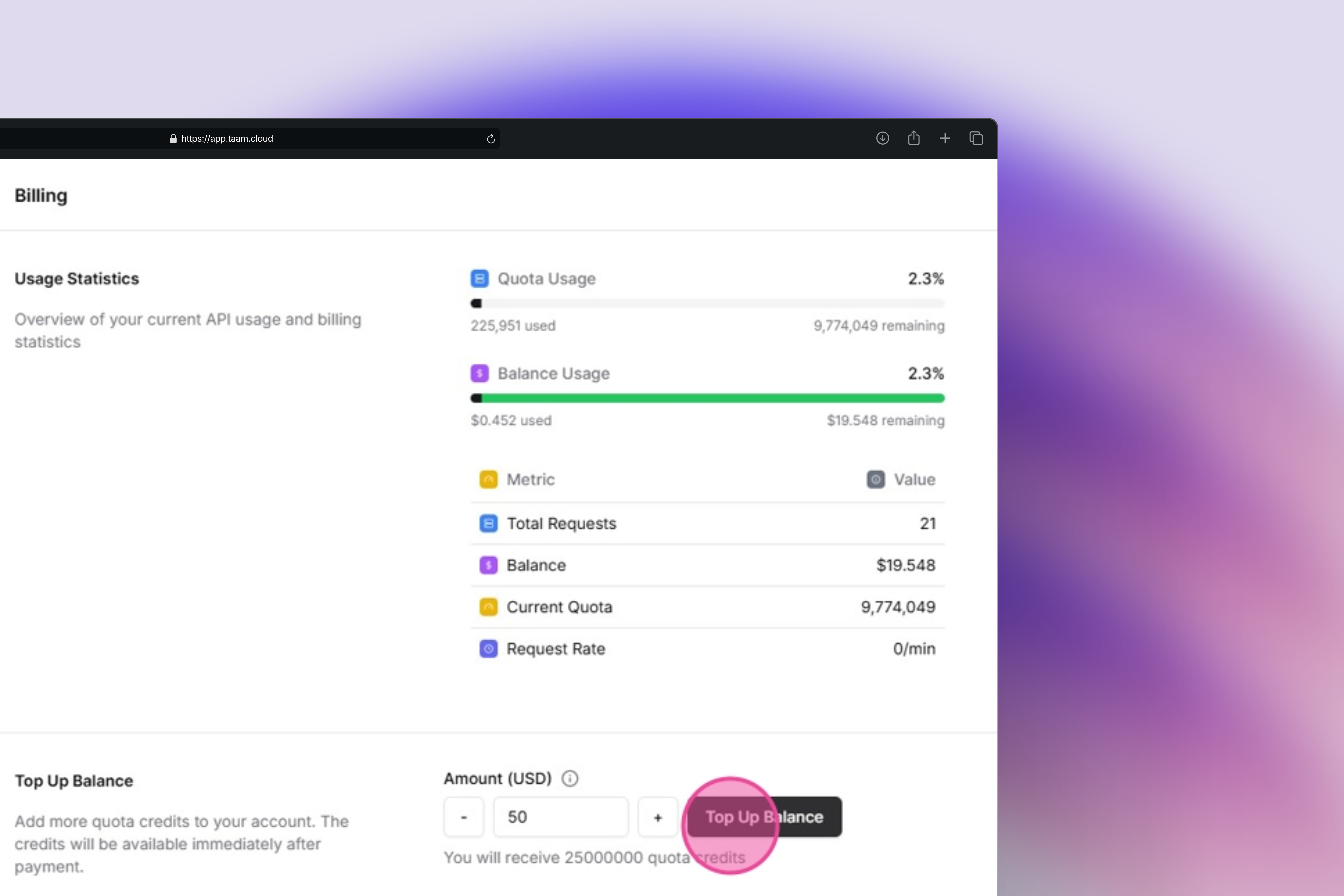
Complete Payment
- Click “Top Up Balance”
- Select your payment method
- Enter payment details
- Confirm the transaction
Verify Transaction
- Wait for the success confirmation
- Check your updated balance in the Billing tab
- Transaction history will show your recent top-up
Your credit balance updates immediately after successful payment processing. The minimum top-up amount is $10 USD.
View Credit Usage
Monitor your credit consumption across different models
Billing Support
Having payment issues? Contact our billing support team